# Pentest Reports

At the conclusion of every penetration testing engagement, the Catchify team delivers a comprehensive report summarizing the testing performed, the vulnerabilities discovered, and the recommended next steps. These reports are designed to be useful for both technical teams and executive stakeholders.

## What is Included in a Report

Each pentest report contains the following sections:

### Executive Summary

A high-level overview written for non-technical stakeholders such as CISOs, board members, and senior management. It covers:

* The scope and objectives of the engagement
* The overall security posture and risk level
* A summary of key findings by severity
* Strategic recommendations

### Methodology

A description of the testing approach used, including:

* The type of testing performed (black box, gray box, white box)
* The standards and frameworks followed (OWASP, PTES, NIST)
* The testing timeline

### Findings Summary

A table listing all findings with their severity, status, and the affected component. This provides a quick reference for tracking remediation progress.

### Detailed Findings

Each finding is documented with:

* Title and severity
* Description and business impact
* Detailed reproduction steps
* Evidence (screenshots and observations)
* Remediation recommendations

### Recommendations

A prioritized list of actions your organization should take, including both immediate fixes and longer-term security improvements.

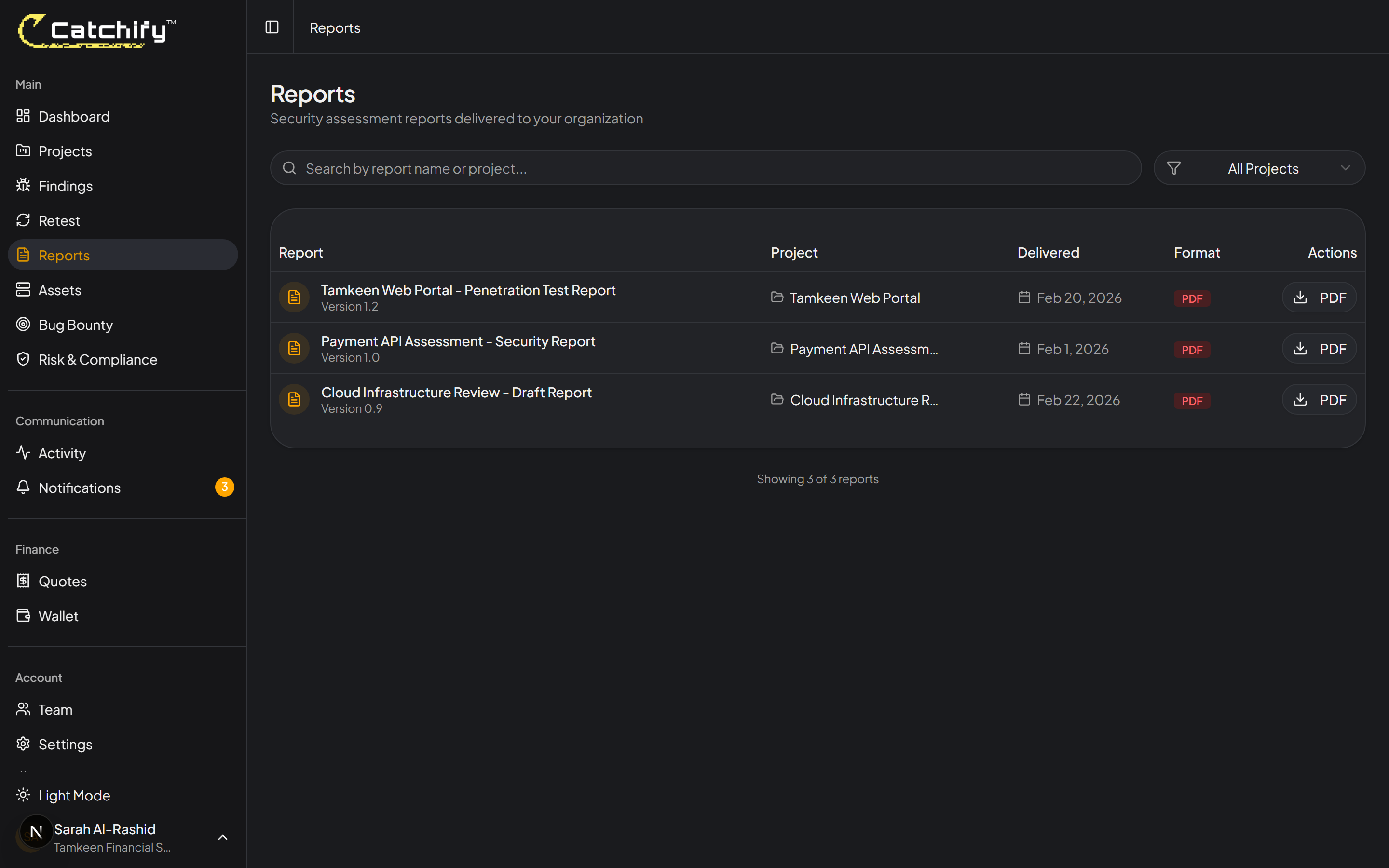
<figure><img src="https://1934022057-files.gitbook.io/~/files/v0/b/gitbook-x-prod.appspot.com/o/spaces%2FSEbSDqwQ0dOF3yycuHLw%2Fuploads%2Fgit-blob-6174da2aa5a95be412aa42d6a3e52ca42b93b548%2Freports-list.png?alt=media" alt="Sample pentest report showing executive summary and findings overview"><figcaption><p>A typical pentest report -- professional, detailed, and ready to share with leadership</p></figcaption></figure>

## Accessing Your Reports

To view and download your reports:

1. Navigate to **Projects** in the main menu
2. Click on the completed project
3. Go to the **Reports** tab
4. Click **Download PDF** to save the report to your computer

<figure><img src="https://1934022057-files.gitbook.io/~/files/v0/b/gitbook-x-prod.appspot.com/o/spaces%2FSEbSDqwQ0dOF3yycuHLw%2Fuploads%2Fgit-blob-6174da2aa5a95be412aa42d6a3e52ca42b93b548%2Freports-list.png?alt=media" alt="Reports tab showing available report with download button"><figcaption><p>Download your report as a PDF from the project detail page</p></figcaption></figure>

{% hint style="info" %}
Reports become available after the testing engagement is complete and the Catchify team has finalized their review. You will receive a notification when your report is ready.
{% endhint %}

## Understanding Your Report

Here are some tips for getting the most out of your pentest report:

**For executive audiences:**

* Start with the Executive Summary for a big-picture understanding
* Focus on the severity distribution and risk rating
* Use the strategic recommendations section for planning

**For technical teams:**

* Go directly to the Detailed Findings section
* Use the reproduction steps to understand each issue
* Follow the remediation recommendations to fix vulnerabilities
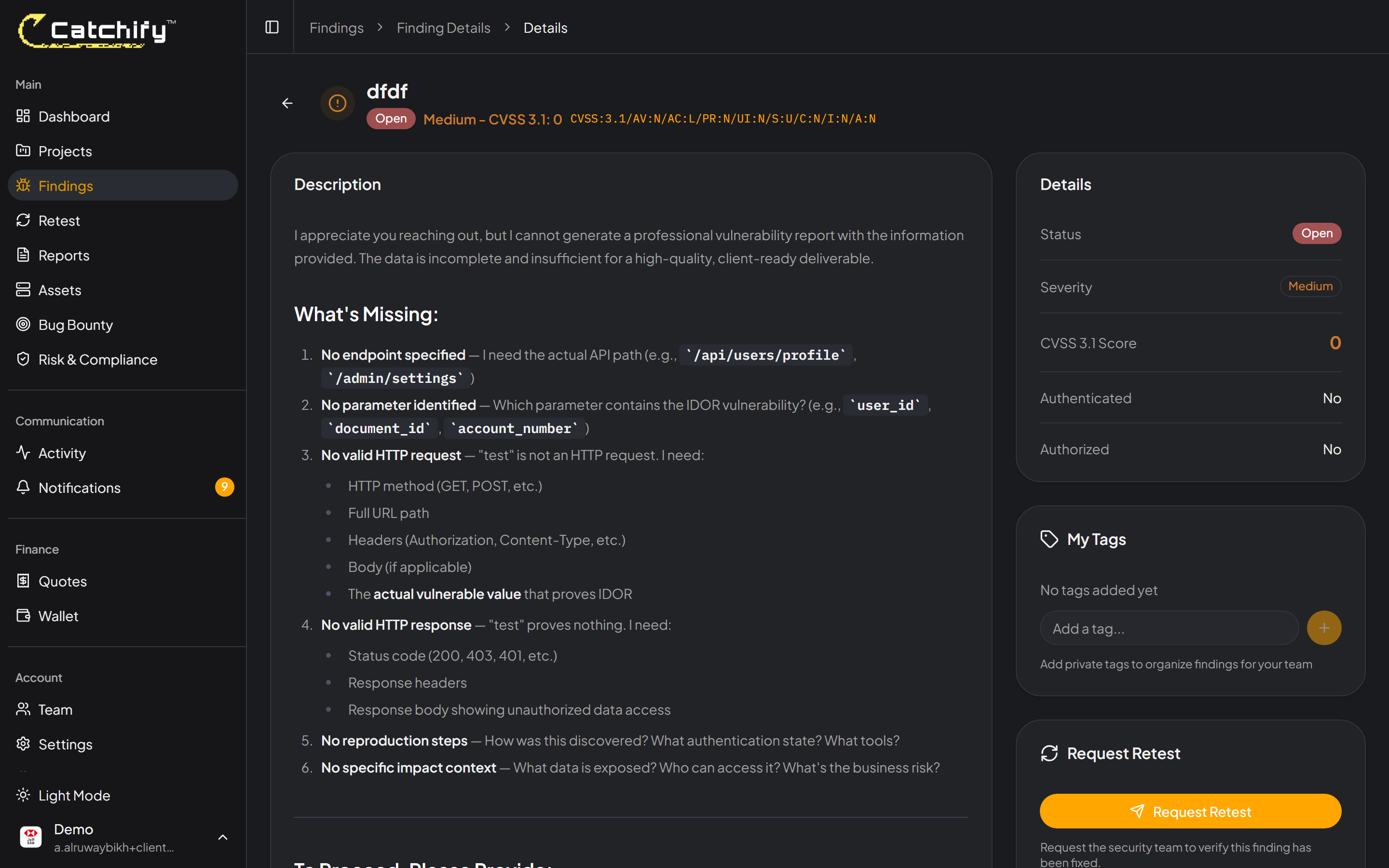
* Reference the findings when requesting retests

**For compliance teams:**

* The report can serve as evidence of security testing for audits and certifications
* The methodology section documents the testing standards applied
* The findings and remediation sections demonstrate your organization's approach to risk management

<figure><img src="https://1934022057-files.gitbook.io/~/files/v0/b/gitbook-x-prod.appspot.com/o/spaces%2FSEbSDqwQ0dOF3yycuHLw%2Fuploads%2Fgit-blob-7412541663a49bd9dc22317438fedf1afdb932ec%2Ffinding-detail.png?alt=media" alt="Detailed finding within a pentest report showing description, evidence, and recommendation"><figcaption><p>Each finding in the report includes everything your team needs to take action</p></figcaption></figure>

## Sharing Reports

Pentest reports often need to be shared with different stakeholders. Here are some recommendations:

* **Board and executive team** -- Share the Executive Summary section
* **Development team** -- Share the Detailed Findings and Recommendations sections
* **Compliance and audit** -- Share the full report as evidence of testing
* **Third-party clients** -- Share with caution. Discuss with your account manager about what level of detail is appropriate to share externally.

{% hint style="warning" %}
Pentest reports contain sensitive information about your organization's security vulnerabilities. Handle them with care and limit distribution to authorized personnel only.
{% endhint %}

## Requesting Additional Reports

If you need a customized version of your report (for example, an executive-only summary or a report filtered to specific findings), contact your account manager. The Catchify team can prepare tailored versions to meet your specific needs.