> For the complete documentation index, see [llms.txt](https://docs.catchify.sa/llms.txt). Markdown versions of documentation pages are available by appending `.md` to page URLs; this page is available as [Markdown](https://docs.catchify.sa/catchify-platform-documentation/quotes-and-invoices/requesting-a-quote.md).
# Requesting a Quote
When you need a new penetration test or want to explore additional services, you can request a quote directly through your Catchify portal. The Catchify team will review your request and prepare a tailored proposal based on your requirements.
## How to Request a Quote
1. Navigate to **Quotes** in the main menu
2. Click **Request New Quote**
3. Fill in the details about what you need:
* **Service type** -- Select the type of testing (web application, mobile application, network, cloud infrastructure, etc.)
* **Target details** -- Describe the application or system to be tested, including URLs, environments, and any relevant context
* **Preferred timeline** -- When you would like testing to begin and any deadlines to consider
* **Additional notes** -- Any specific requirements, compliance standards, or areas of concern
4. Click **Submit Request**
Fill in your requirements and the Catchify team will prepare a proposal
## What Happens Next
After you submit your request:
| Step | What Happens | Typical Timeframe |
| ---------------------- | ------------------------------------------------------------------------------- | ----------------- |
| **Request received** | The Catchify team reviews your requirements | Same day |
| **Scoping discussion** | Your account manager may reach out to clarify details or discuss the engagement | 1-2 business days |
| **Quote prepared** | A formal quote is created with scope, pricing, and timeline | 2-3 business days |
| **Quote delivered** | The quote appears in your portal and you receive an email notification | -- |
{% hint style="info" %}
For straightforward engagements, quotes can often be prepared within one business day. More complex scoping (such as large infrastructure assessments) may take a bit longer.
{% endhint %}
## Reviewing a Quote
When your quote is ready, you will find it in the **Quotes** section of your portal. Each quote includes:
* **Service description** -- A detailed breakdown of what will be tested and how
* **Scope** -- The specific targets, methodologies, and boundaries of the engagement
* **Timeline** -- Proposed start and end dates
* **Pricing** -- The total cost of the engagement, broken down by service
* **Terms** -- Payment terms and conditions
Review your quote -- scope, timeline, and pricing all in one place
## Approving or Declining a Quote
Once you have reviewed the quote:
* **To approve** -- Click **Approve Quote**. This confirms the engagement and the Catchify team will begin scheduling the testing.
* **To discuss changes** -- Add a comment or contact your account manager if you would like to adjust the scope, timeline, or pricing before approving.
* **To decline** -- Click **Decline Quote** if you do not wish to proceed. You can always request a new quote later.
{% hint style="success" %}
Once a quote is approved, the Catchify team will send you a formal agreement and begin preparing for the engagement. You will receive an invoice based on the agreed payment terms.
{% endhint %}
## Quote Statuses
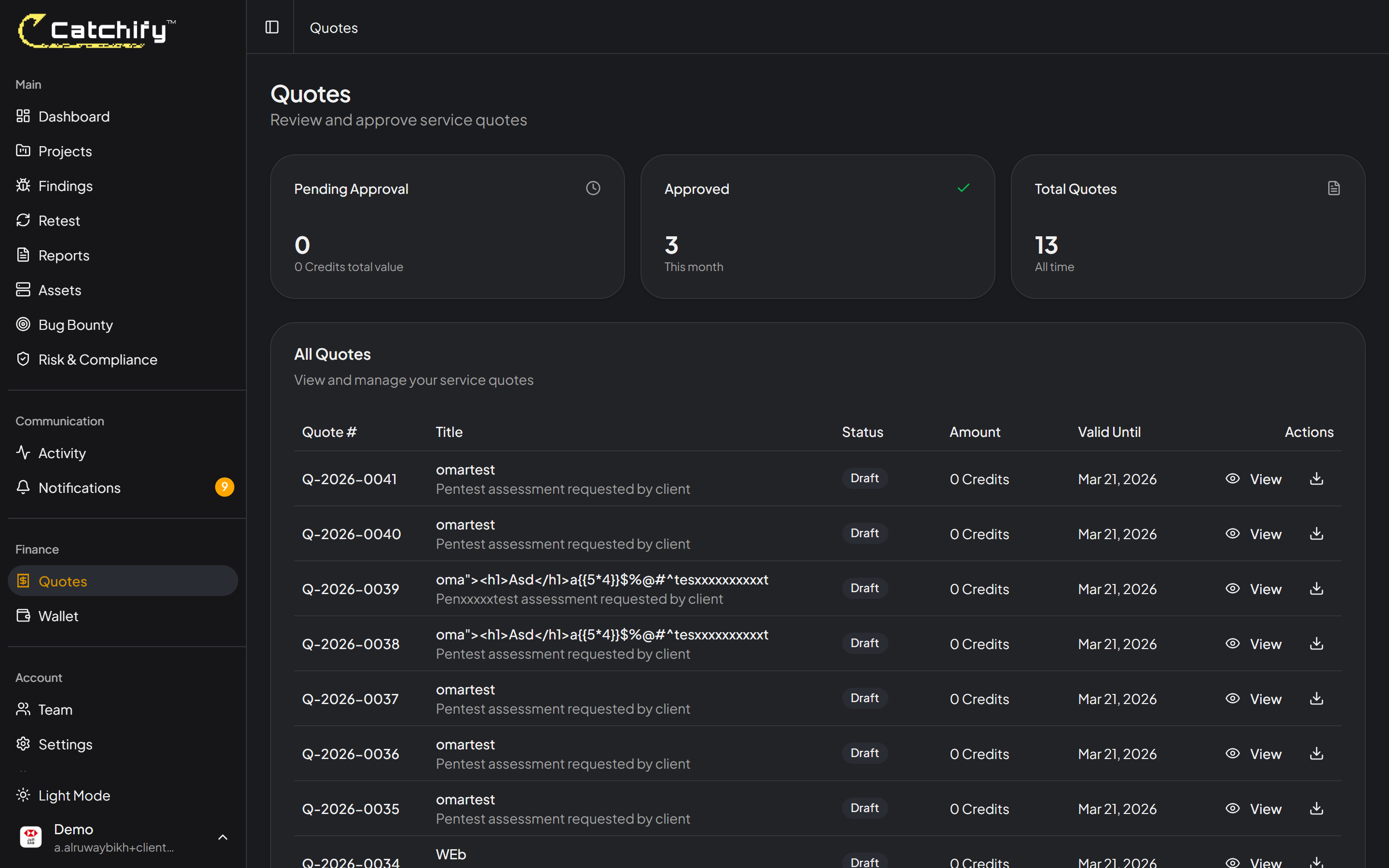
| Status | Meaning |
| ------------ | ----------------------------------------------------------------- |
| **Draft** | The quote is being prepared by the Catchify team |
| **Sent** | The quote is ready for your review |
| **Approved** | You have approved the quote and the engagement is being scheduled |
| **Declined** | The quote was not accepted |
| **Expired** | The quote was not acted upon within the validity period |
## Viewing Past Quotes
All your quotes -- past and present -- are accessible from the Quotes page. This gives you a full history of your engagements and makes it easy to request similar services again.
{% hint style="info" %}
If you need a similar engagement to one you have done before, mention the previous quote in your new request. The Catchify team can use it as a starting point, which speeds up the scoping process.
{% endhint %}
## Questions About Pricing?
Catchify pricing is based on the complexity and scope of each engagement. Factors that influence pricing include:
* The number and type of applications or systems to be tested
* The depth of testing required (basic assessment vs. comprehensive testing)
* The timeline and urgency of the engagement
* Any special requirements such as compliance-specific testing
Contact your account manager at any time to discuss pricing or explore options that fit your budget.
---
# Agent Instructions
This documentation is published with GitBook. GitBook is the documentation platform designed so that both humans and AI agents can read, navigate, and reason over technical content effectively. Learn more at gitbook.com.
## Querying This Documentation
If you need additional information that is not directly available in this page, you can query the documentation dynamically by asking a question.
Perform an HTTP GET request on the current page URL with the `ask` query parameter, and the optional `goal` query parameter:
```
GET https://docs.catchify.sa/catchify-platform-documentation/quotes-and-invoices/requesting-a-quote.md?ask=&goal=
```
`ask` is the immediate question: it should be specific, self-contained, and written in natural language.
`goal` is optional and describes the broader end goal you are ultimately trying to accomplish on behalf of the user. GitBook uses it to tailor the answer towards what is most useful for that goal.
The response will contain a direct answer to the question and relevant excerpts and sources from the documentation.
Use this mechanism when the answer is not explicitly present in the current page, you need clarification or additional context, or you want to retrieve related documentation sections.